Processing Purposes
Processing Purposes
A Processing Purpose documents why classified data is being kept or used — the reason it makes sense for the system to store it in the first place. Since this reason differs vastly from business to business, it is up to the Genio user modeling the application to define the Processing Purposes that apply to it.
Processing Purposes are managed in Data > Data Governance > Processing purposes.
Defining Processing Purposes
The Processing purposes list shows every purpose already created, with its Identifier, Designation and Description, and can be Exported. To create a new one, the user may click Insert to add it manually, or use Import to bring in Processing Purposes from a file.
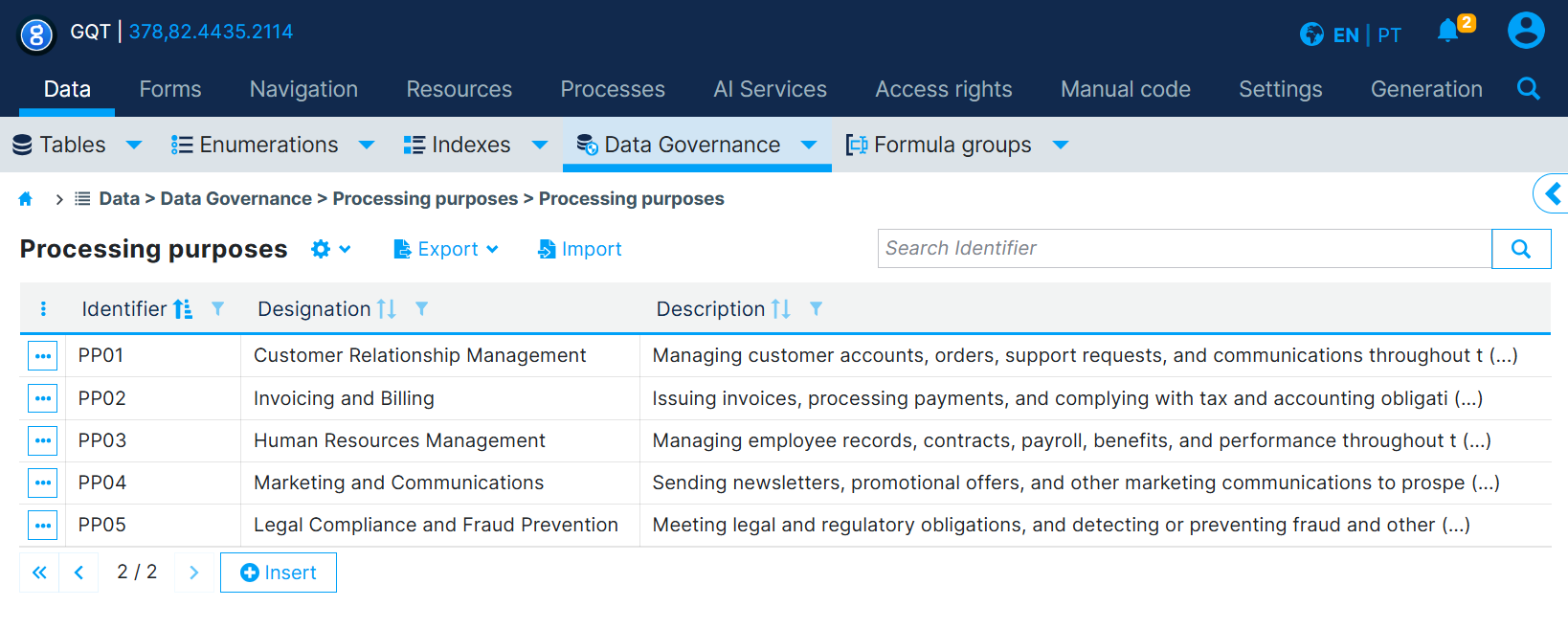
Each Processing Purpose has:
- Identifier: a unique code for the purpose (e.g.
F01). - Designation: a short label (e.g. "Institutional and business relationship management").
- Description: a longer explanation of what the purpose covers.
Associating Processing Purposes with Tables and Data Classifications
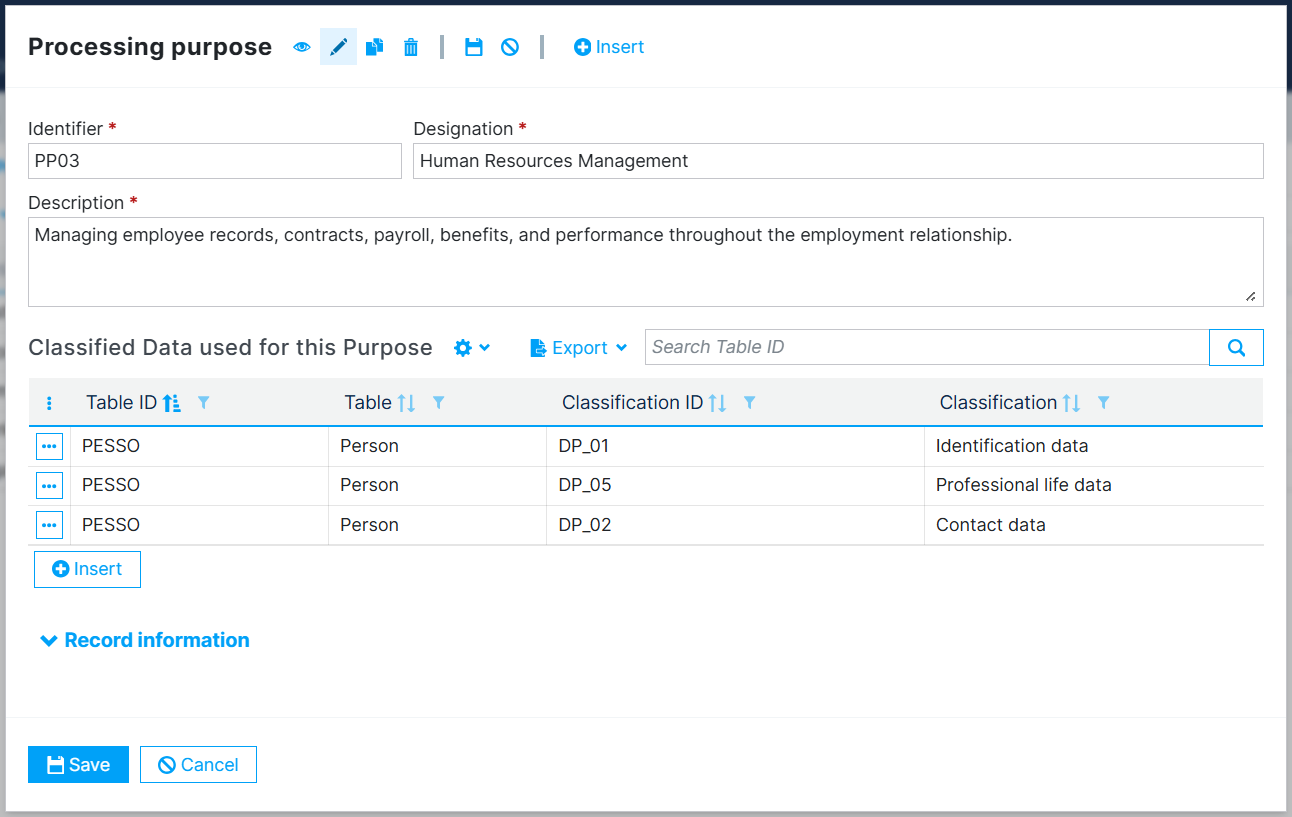
Once a Processing Purpose is defined, use its Classified Data used for this Purpose grid to state which classified data it applies to. Each row associates:
- a Table, and
- a Data Classification,
meaning "in this table, the fields with this Data Classification are kept/used for this Processing Purpose." A single Processing Purpose can be associated with as many Table / Data Classification pairs as needed, across as many tables as apply.