Technical Documentation
Technical Documentation about Data Classification
Genio can generate a full Technical Documentation site for an application, which includes a dedicated section covering the Data Classifications defined in the model.
Generating the Documentation
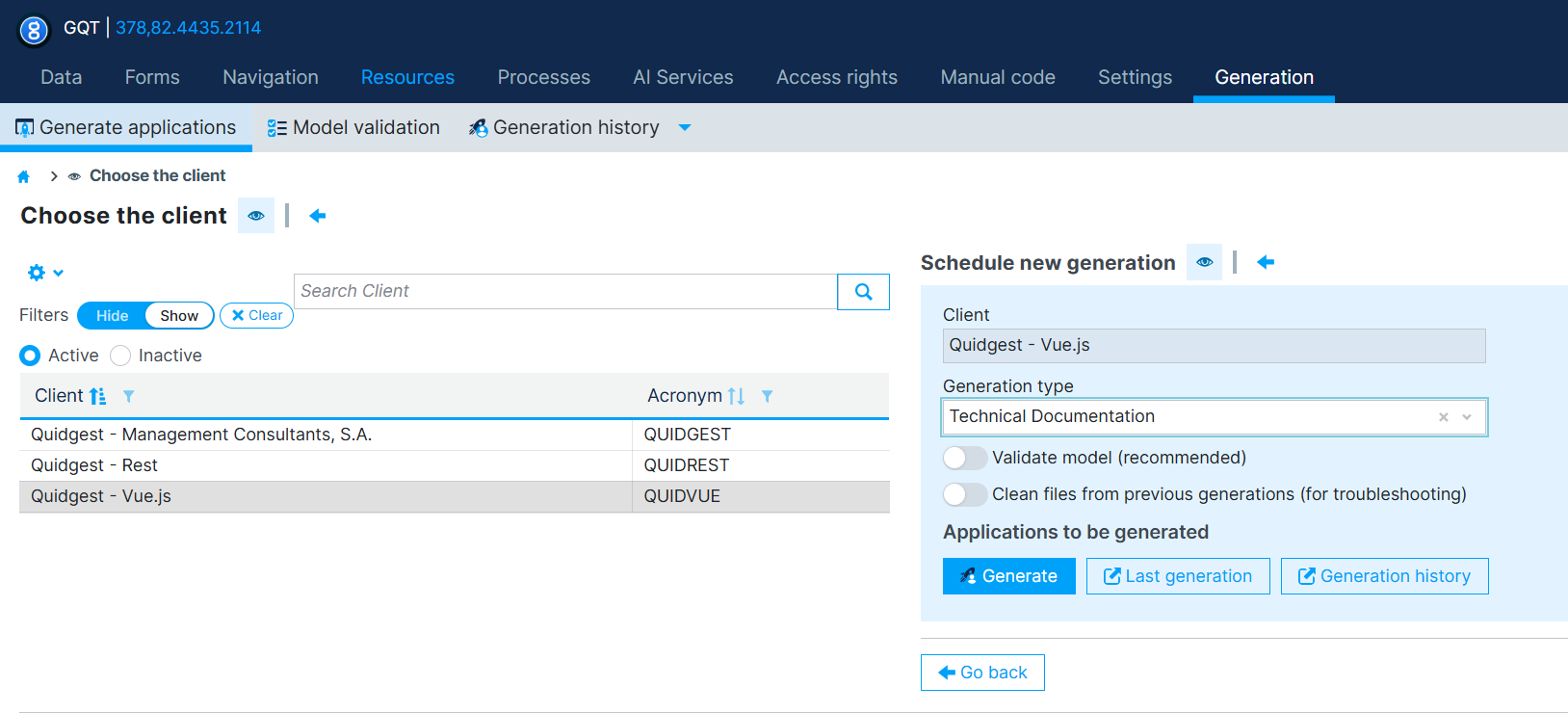
To generate it, go to Generation > Generate applications, choose the client to generate for, and under Schedule new generation set the Generation type to Technical Documentation, then click Generate.
Reading the Documentation
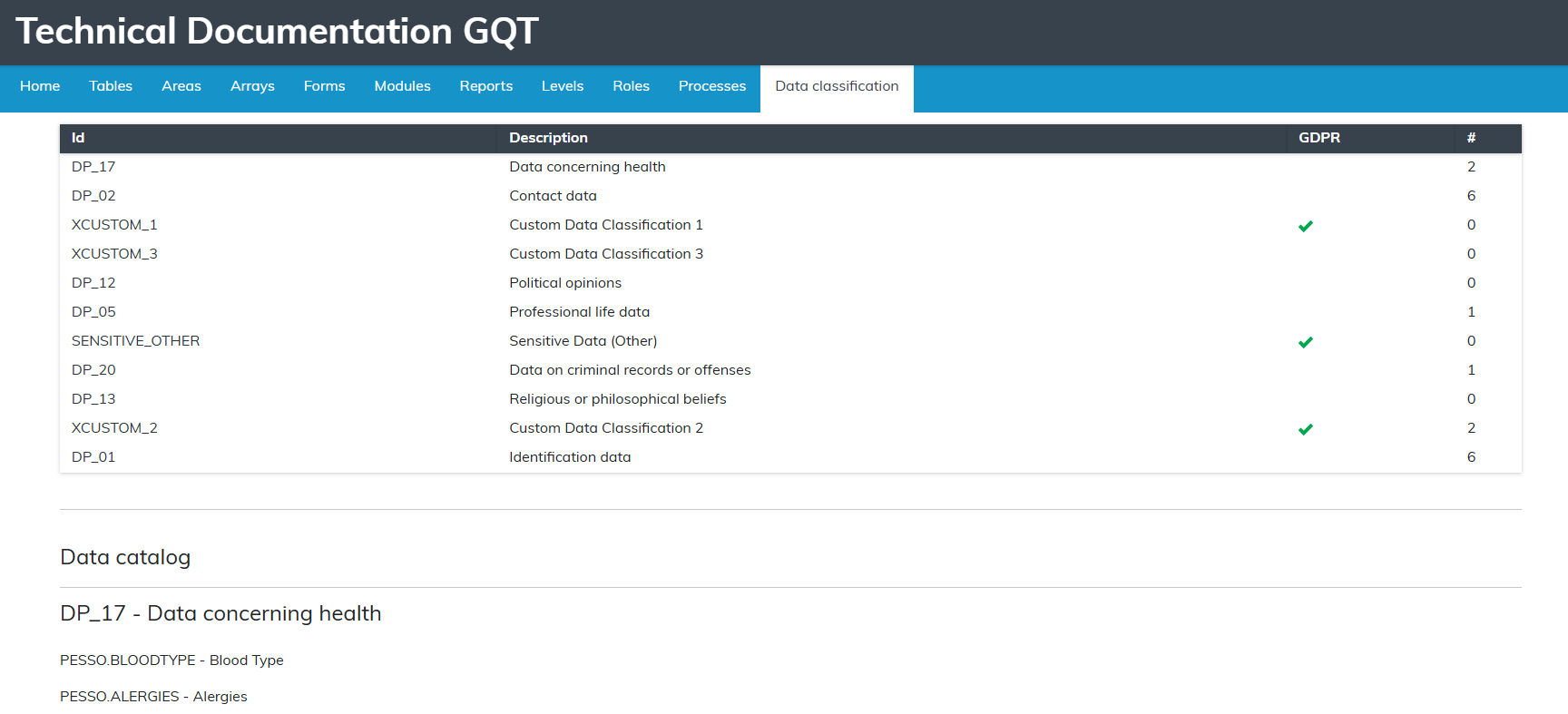
The generated documentation site has a Data classification tab alongside the other model sections (Tables, Areas, Forms, Roles, Processes, etc.).
It contains:
- A summary table listing every Data Classification, with its Id, Description, a GDPR indicator (checked when the classification has Creates audit log when opening the record enabled), and the number of fields classified with it (#).
- A Data catalog below the table, listing, for each Data Classification, every
Table.FIELDclassified with it and its designation.
This section only covers the Data Classifications and the fields associated with them — it does not include Processing Purposes, Default Behavior, or Role Behaviours. For that information, see WebAdmin Export.