WebAdmin Export
Downloading Data Governance Information from WebAdmin
WebAdmin, the administration tool of a Genio-generated application, can export the full Data Governance metadata of the running system as an XML file.
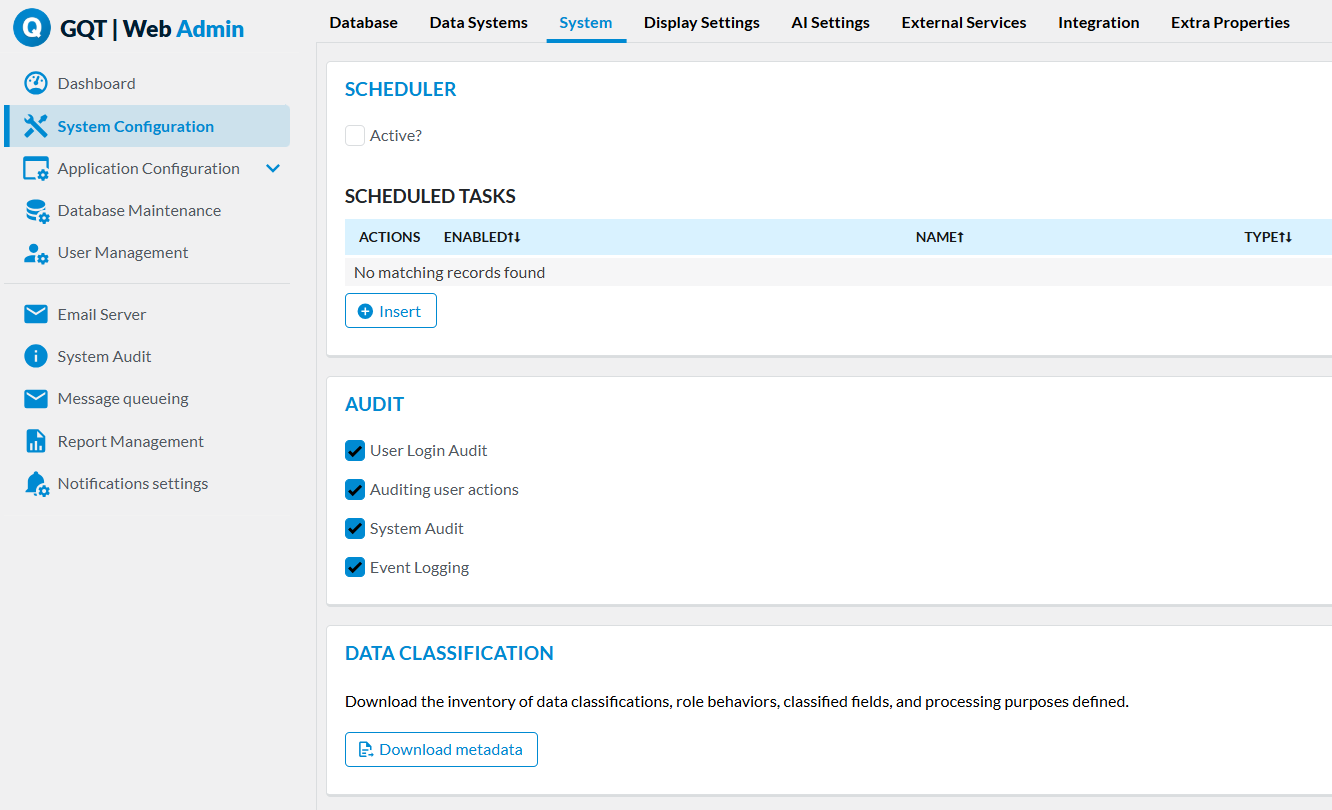
To download it, go to System Configuration > System, and in the Data Classification section click Download metadata.
What's Included in the Export
The exported XML (GdprMetadata) has three main sections:
- Classifications: every Data Classification, with its
Category, whether it hasAuditLogenabled, itsDefaultBehavior, and itsRoleBehaviors(each with the Access Role and the Behavior assigned to it). - Purposes: every Processing Purpose, with its
Designation,Description, andPurposeAssignments— the Table / Data Classification pairs it applies to. - Tables: every table that has at least one classified field, listing each classified
Fieldwith its designation and theclassificationIdassigned to it.
<Classification id="DP_17">
  <Category>Data concerning health</Category>
  <AuditLog>true</AuditLog>
  <DefaultBehavior behaviorId="H">Hidden</DefaultBehavior>
  <RoleBehaviors>
    <RoleBehavior roleId="ADMIN" roleDesignation="Administrator" behaviorId="VW">Visible (editable)</RoleBehavior>
  </RoleBehaviors>
</Classification>
This gives, in a single file, the complete picture that in Genio itself is spread across the Data Classification, Processing Purposes and Table Field configurations — including the Role Behaviours and Processing Purposes that are not part of the Technical Documentation.
Using the Export
Because it is downloaded directly from the running application, this export reflects the Data Governance configuration of that specific deployment. It is useful to:
- Hand over to a Data Protection Officer (DPO) or auditor as evidence of how personal and sensitive data is classified, protected and used.
- Feed into external compliance or data-mapping tooling.
- Compare against another environment or a previous export, to check whether Data Governance configuration has drifted.